Friday, June 1, 2018

6 Best Tech Gifts for Dad Under $100

Make this a Father's Day to remember with a great tech gift for Dad!

Father's Day is fast approaching, which means it's time to start thinking about the perfect gift for the fatherly figure in your life.

If you're stumped for ideas for your dad, hopefully, one of these great tech gifts under $100 will inspire you.

Amazon Echo

A smart speaker as capable and stylish as the Amazon Echo makes a great gift. Whether it's the first Echo speaker or a second speaker to expand Alexa's reach throughout the house, you really can't go wrong with the Echo.

The second-gen Echo speaker looks stylish with its fabric finish and shorter stature. Your dad will surely find the value of having these Amazon Echo speakers around the house, whether he only uses it for weather and news updates, for listening to his favorite music, or as a starting point to creating the ultimate connected smart home.

At just $85, it's a great gift, but if you're able to afford it, the Echo Plus is also a great option at $150.

See at Amazon

Chromecast Ultra

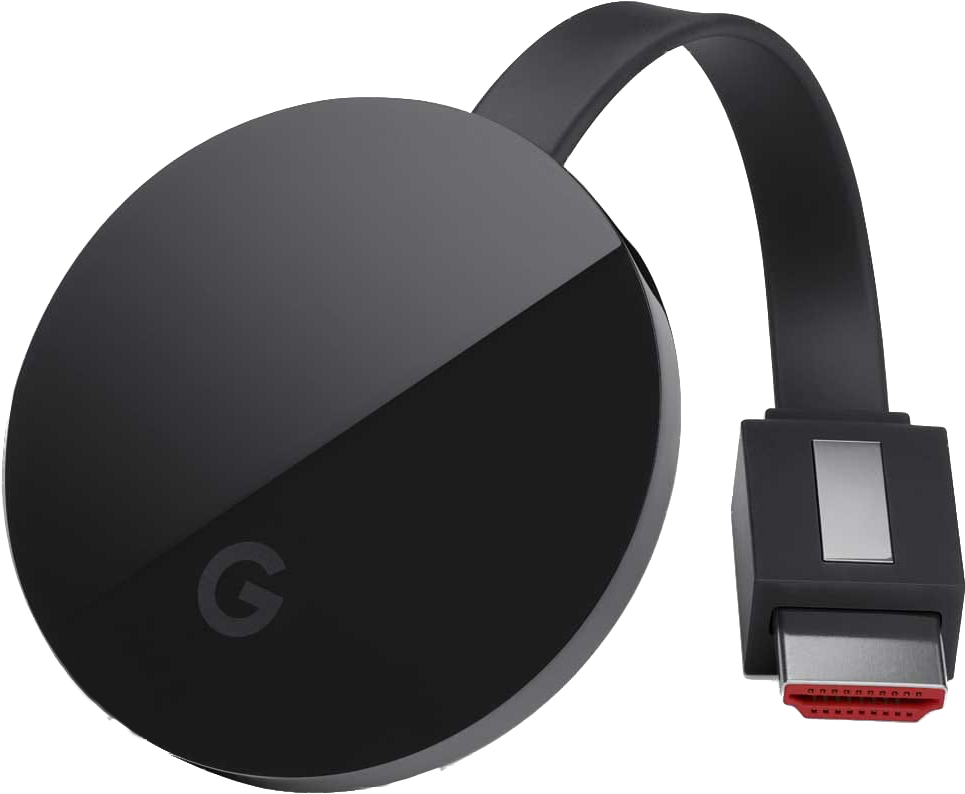
If your dad bought himself a brand new 4K TV "for the family", a Chromecast Ultra makes for a great complimentary gift. This is the updated version of Chromecast that Google released a couple of years ago that takes all the great functionality of the Chromecast and adds support for 4K Ultra HD video.

This is a great gift if your dad is an Android user, as there's a ton of great apps that work with Chromecast. You can become the favorite child by pairing this gift with a Google Home Mini which would allow dad to cast his favorite shows to the TV using just his voice.

You can pick up a Chromecast Ultra for just $59 at Best Buy.

See at Best Buy

Edifier R1010BT Studio Monitor Speakers

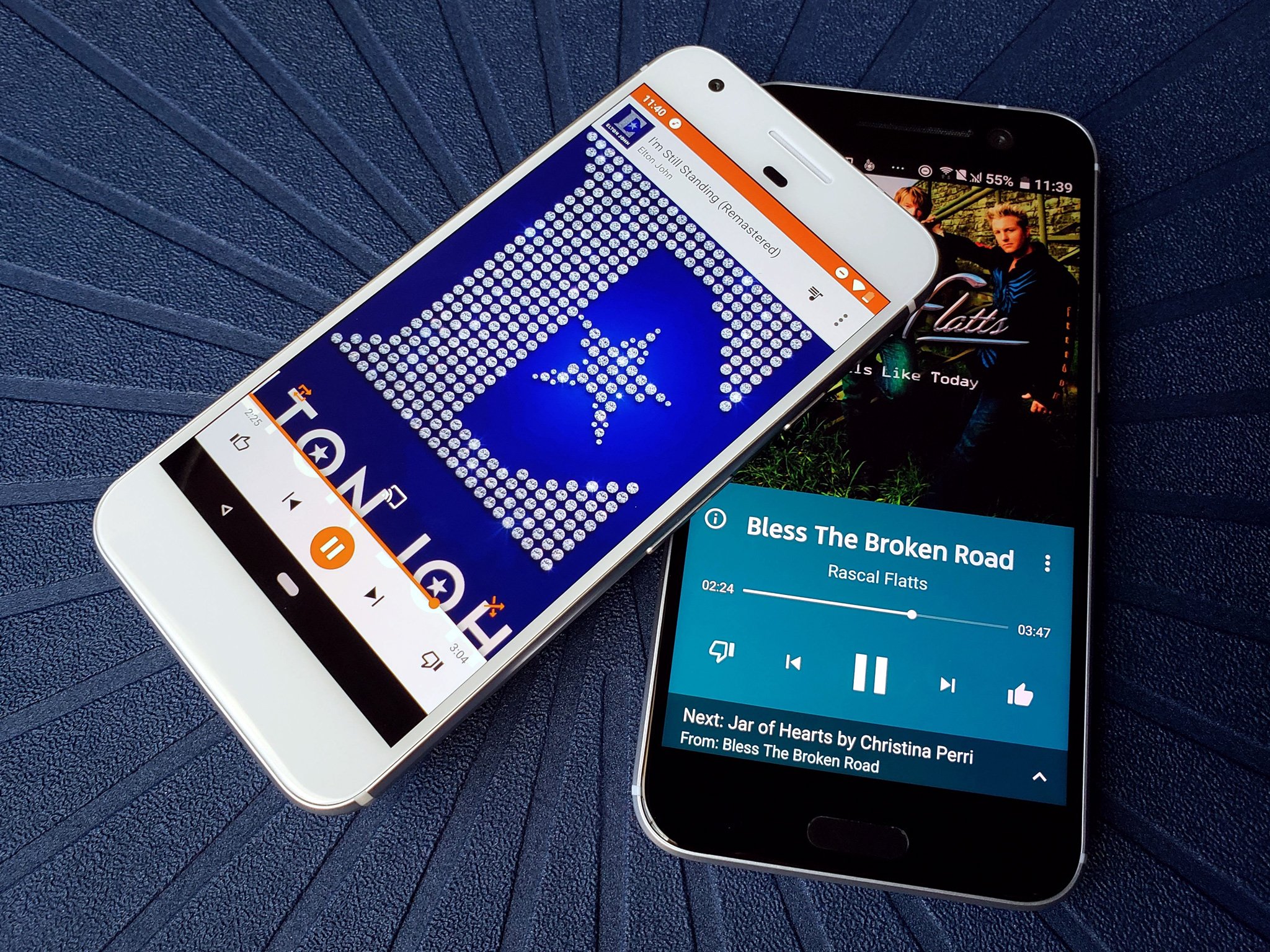
Edifier makes some amazing speakers at a very reasonable price. Take these bookshelf speakers, which deliver incredible sound and multiple ways to connect up to audio devices, whether via 3.5mm headphone output or dual RCA output. That means dad will be able to connect these up to his PC, his old record player, or stream his favorite Spotify playlists from his phone over Bluetooth.

The sound is delivered via a 13mm silk dome tweeter and a 4-inch bass driver, and they sound great for the price — just $100 on Amazon. These speakers also look fantastic, with wood grain finish along the sides and a removable fabric speaker grill.

See at Amazon

UE Boom 2 Bluetooth Speaker

If your father's the outdoorsy type who also loves to crank the tunes, a quality Bluetooth speaker is a great gift idea. And when it comes to Bluetooth speakers, few can outmatch the form factor, sound quality, and ruggedness of the UE Boom 2.

The sound is delivered in 360 degrees with up to 15 hours of playback on a full charge. You can connect your phone using NFC meaning you just tap your phone and let the good times roll. Perfect for the golf course or chilling out at the lake.

Get this great portable Bluetooth speaker for your pops for $95 on Amazon.

See at Amazon

Audio-Technica ATH-M30X Over-Ear Headphones

Every dad could use a new set of noise-canceling headphones — whether he needs them for traveling or he's an audiophile who wants some professional cans. These over-ear headphones from Audio-Technica are the real deal, specifically designed for studio and field recording, but perfect for any usage.

The design offers excellent sound isolation so everything rings through clear even when you're in a noisy environment. Reviewers have said these are great for everyday activities like mowing the lawn.

Available for just $69, these are great options for headphones in the sub-$100 range.

See at Amazon

Anker 20100mAh PowerCore Battery Pack

Everyone who owns a smartphone and other portable devices could get good use out of a battery pack — if you've ever heard your dad complain about his phone battery dying too soon this is the perfect gift.

This Anker battery pack has a 20,100mAh battery is a great option that's capable of charging multiple phones on a single charge. Featuring two USB ports that use PowerIQ and VoltageBoost technologies and Anker's MultiProtect safety system, you can be confident that your devices will be charged fast and safely.

You can get this great battery pack for just $44. Backed by a 18-month warranty, it's a no-brainer!

See at Amazon

Want more Father's Day gift ideas? Check out our full gift guide!


from Android Central - Android Forums, News, Reviews, Help and Android Wallpapers https://ift.tt/2kI1Qq9
via IFTTT

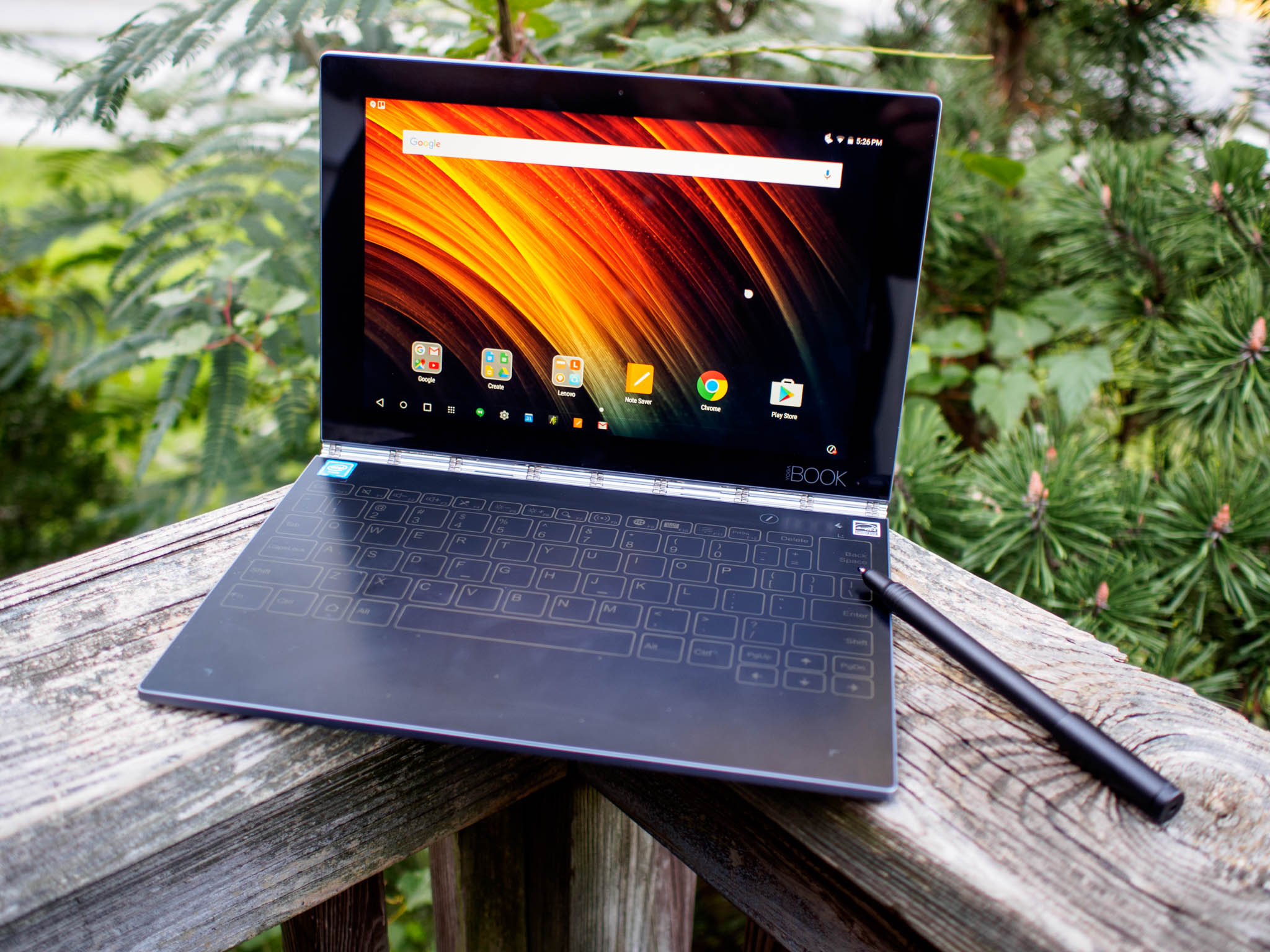
Lenovo is working on a new version of its unique Yoga Book 2-in-1

It looks like Lenovo is taking another shot at the Yoga Book.

The Lenovo Yoga Book was certainly one of the most unique computers to come out of 2016, largely thanks to its futuristic-looking touch keyboard that can operate as an inking surface as well. But while it garnered plenty of eyeballs due to its strange design, Lenovo never followed it up with another version in 2017. It looks like the company may be remedying that, however.

According to a new regulatory filing with Bluetooth SIG (via Liliputing), Lenovo is working on a second generation digital pen that works with an unannounced Yoga Book Pro 2. The filing provides no details other than confirmation that a Yoga Book Pro 2 apparently exists, but it's an interesting development.

The original Yoga Book was available with either Windows 10 or Android on board. A Chrome OS version was expected to launch later, but that version never made it to market.

It's hard to predict what to expect from a successor, but it's not unrealistic to expect a that a processor update is in the cards, potentially with Intel's latest 8th Gen lineup. The Yoga Book's highlight feature, its touch surface, is likely to return as well. It'll be interesting to see if Lenovo has managed to figure out a way to make what is essentially a Wacom tablet connected to the display easier to use.

See at Lenovo


from Android Central - Android Forums, News, Reviews, Help and Android Wallpapers https://ift.tt/2J6jh27
via IFTTT

Where to buy the LG G7 ThinQ

Your guide for buying the G7 in the U.S. and Canada.

LG's playing it safe this year with the G7 ThinQ, but that doesn't necessarily mean it's a bad phone. In fact, the G7 is one heck of a smartphone that's at least worth a look.

If you live in the United States or Canada and are interested in picking up the G7 ThinQ for yourself, here's everything you need to know.

United States

AT&T

Although LG devices usually show up on AT&T like clockwork, this year appears to be slightly different.

Instead of carrying the G7, AT&T is instead selling the V35 — a phone that has the design of last year's V30 and the modern specs of the G7. It's an interesting mashup, to say the least, and one that'll cost you a pretty penny at $900.

See at AT&T

Sprint

If Sprint's your carrier of choice, you're going to pay more than most to own the G7.

On Sprint, the phone will cost you $33/month for an 18-month lease, and if you decide to keep paying for six more months to actually own the G7, you'll be looking at a final price of $792 — $42 more than T-Mobile and Verizon.

Sprint is offering a lease one, get another for free deal, but you're required to either add two new lines or upgrade two existing ones.

See at Sprint

T-Mobile

Jumping over to T-Mobile, the G7 costs $30 down and then $30/month afterward, resulting in a final retail price of $750 ($30 more than the Galaxy S9). To help offset the cost, T-Mobile is running a BOGO promo that allows you to get two G7s for the price of one via monthly bill credits.

See at T-Mobile

U.S. Cellular

The LG G7 is also available at U.S. Cellular. It costs $749.70 if you buy it with a prepaid plan, but if you purchase it on an installment setup, you can save $300 by paying just $14.99/month for 30 months after monthly bill credits.

Should you choose to go the installment route, you'll pay $0 down and have 0% APR. Not too shabby!

See at U.S. Cellular

Verizon

Last but not least for U.S. carriers, pricing for the G7 at Verizon is similar to that of T-Mobile, including a payment of $31.25/month for 24 months for a final price of $750.

In honor of the G7's launch, Verizon's offering an instant $100 off discount just for buying it on an installment plan. Better yet, that deal can be combined with Verizon's other trade-in promotions.

See at Verizon

B&H

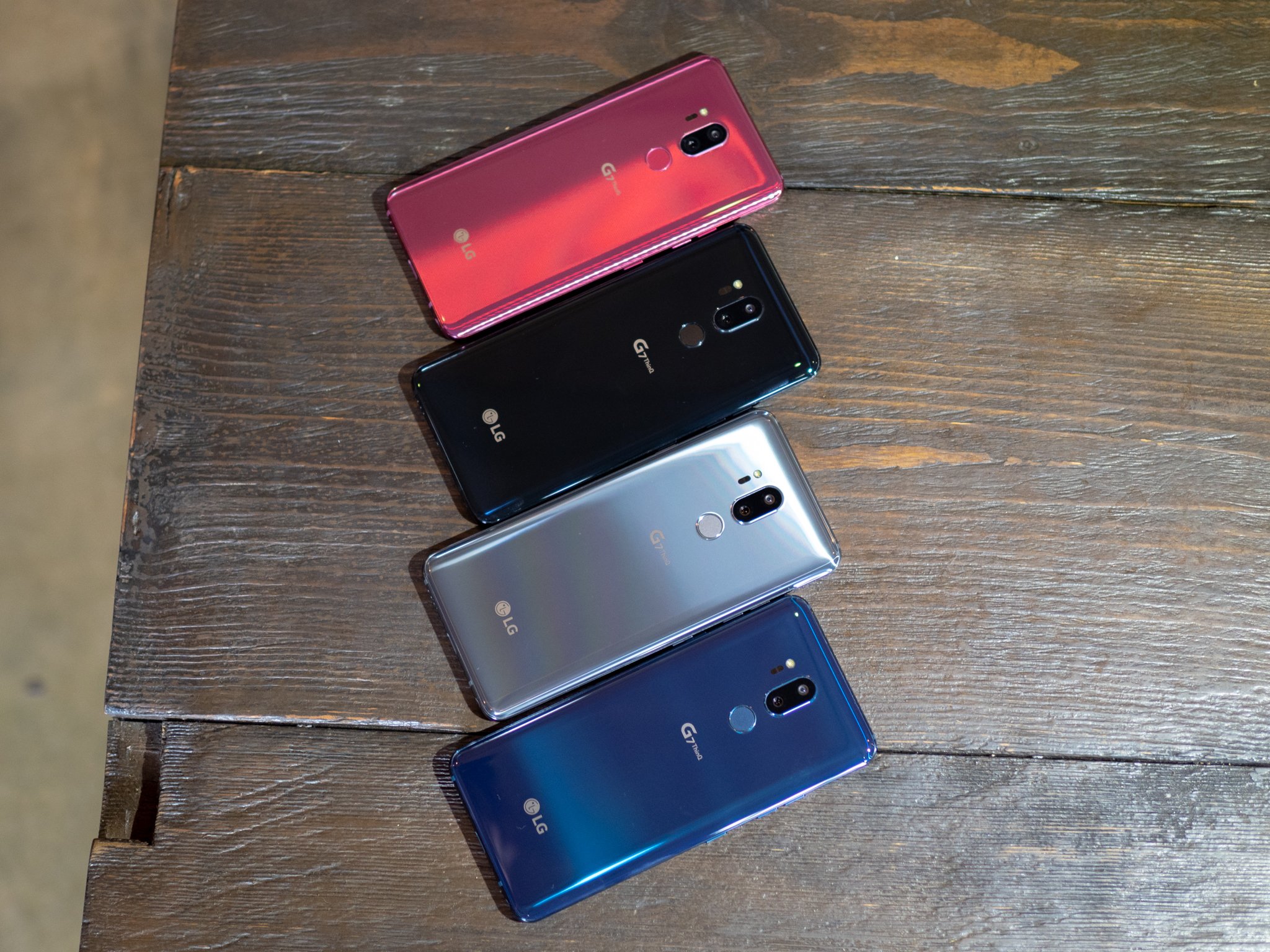
If you prefer buying your phones unlocked, B&H is selling the G7 for $749.99. The phone's available in Platinum and Black colors, expedited shipping is free, and no tax is collected if you live outside of New York and New Jersey.

See at B&H

Canada

Bell

At Bell, you can purchase the G7 between $199.99 and $399.99 depending on what kind of two-year plan you sign up for. If you prefer to purchase it outright, it'll set you back $1,049.99.

If there's a Bell store nearby, you can go there, trade-in an eligible phone, sign up for a two-year Premium Plus plan with data, and get the G7 for as little as $0.

See at Bell

Freedom Mobile

If Freedom Mobile is your Canadian carrier of choice, there are four main ways you can buy the G7:

  • Pay $0 down + $20/month MyTab Boost for 24 months on current $50+ plans (save $480)
  • Pay $250 down + $25/month MyTab Boost for 24 months on current $40+ plans (save $110)
  • Pay $480 down + $20/month MyTab Boost for 24 months on current $30+ plans
  • Pay $960 to buy the G7 outright

See at Freedom Mobile

Rogers

Rogers is also selling the G7 in The Great White North, with pricing working out as follows:

  • $199 on two-year Premium+ Tab
  • $399 on two-year Premium Tab
  • $549 on two-year Smart Tab
  • $699 on two-year Talk & Text Tab
  • $999 with outright with No Tab

See at Rogers

SaskTel

For SaskTel customers, the carrier's running a promotion through June 30 that lets you get a $200 bonus credit on top of the trade-in value of your existing phone when you upgrade to the G7.

Along with that, pricing works out as follows:

  • Pay $0 down + $20/month with Plus Pricing on a two-year $20/month+ plan
  • Pay $199.99 down + $10/month with Plus Pricing on a two-year $10/month+ plan
  • Pay $399.99 with a two-year voice and data plan
  • Pay $99.99 with a monthly, device only, or prepaid plan

See at SaskTel

Telus

Last but not least, Telus is also selling the LG G7 ThinQ.

You'll pay between $200 and $400 down depending on which plan you choose, and if you prefer to buy the phone outright, you'll need to hand over $980.

See at Telus

Updated June, 2018: Now that the G7's launched, we've refreshed this guide to include final pricing at all U.S. and Canadian carriers/retailers.


from Android Central - Android Forums, News, Reviews, Help and Android Wallpapers https://ift.tt/2HN51qp
via IFTTT

LG G7 ThinQ now available in the U.S. for $750

On sale at Amazon, Best Buy, Project Fi, and many others.

It's been nearly a month since LG introduced the world to the G7 ThinQ and its – interesting – name, and now the company's confirmed that the phone is available for purchase in the United States.

So, where will you be able to buy the thing? If carriers are your cup of tea, Sprint, T-Mobile, Verizon, and U.S. Cellular will all be selling the handset. You won't see the G7 on AT&T, but it is one of the two exclusive carriers of the recently announced LG V35 ThinQ.

You'll even find the G7 on Project Fi. It's one of the first LG phones to be officially supported by Google's service, and I certainly hope it's not the last.

If you prefer to buy your phones unlocked, you'll also be able to get the G7 at Amazon, Best Buy, and B&H.

The LG G7 ThinQ has a retail price of $750, but you can help to spread that cost out over the course of a few months thanks to installment plans offered by almost all of the retailers/carriers selling it.

Do you plan on buying the G7?

LG G7 ThinQ hands-on preview: All about that bass


from Android Central - Android Forums, News, Reviews, Help and Android Wallpapers https://ift.tt/2J7Xgft
via IFTTT

What YouTube Music means for the future of Google Play Music

Slow your roll and let's think practically for a minute here.

Ever since YouTube Music and YouTube Premium were announced, I've seen Google Play Music subscribers freaking out about whether to cancel their subscriptions. I've seen YouTube Red subscribers users kicking and screaming about not getting the new YouTube Music yet and then kicking and screaming about it being broken. I've seen a whole, whole lot of people who are even more confused about this than they ever were about YouTube Red's introduction.

Let's get to the bottom of this whole messy situation.

Let the sun shine on, 'cause it's all alright...

Google Play Music's development merged with the YouTube Music team a while ago, and some YouTube executives keep slipping out bits and pieces about Google Play Music being replaced by YouTube Music. There's a lot of misinformation, incomplete information, and outright panic among Google Play Music users today. Here's what you need to know:

  • Google Play Music is not going anywhere this year and more than likely will not be going anywhere until at least 2020. Given that it's how Google lets people download their music purchases, they aren't going to think of touching it until they're 110% sure of its replacement.
  • Yes, your Google Play Music library will eventually migrate to YouTube Music, but that isn't happening this year. Do not expect your library to magically appear in YouTube Music tomorrow; the libraries for YouTube Music and Google Play Music are currently separate and will remain separate for the time being.
  • Yes, the music locker will eventually come to YouTube Music, too, but it's not there yet and we don't have a timetable. If you're that hard up to upload songs to YouTube Music, upload them in the main YouTube app as private videos and add them to playlists as desired.
  • Do not panic and do not cancel your subscriptions right now. Your Google Play Music subscription is getting grandfathered into YouTube Premium; canceling right now will throw away that discount and force you to rebuild on a new platform.

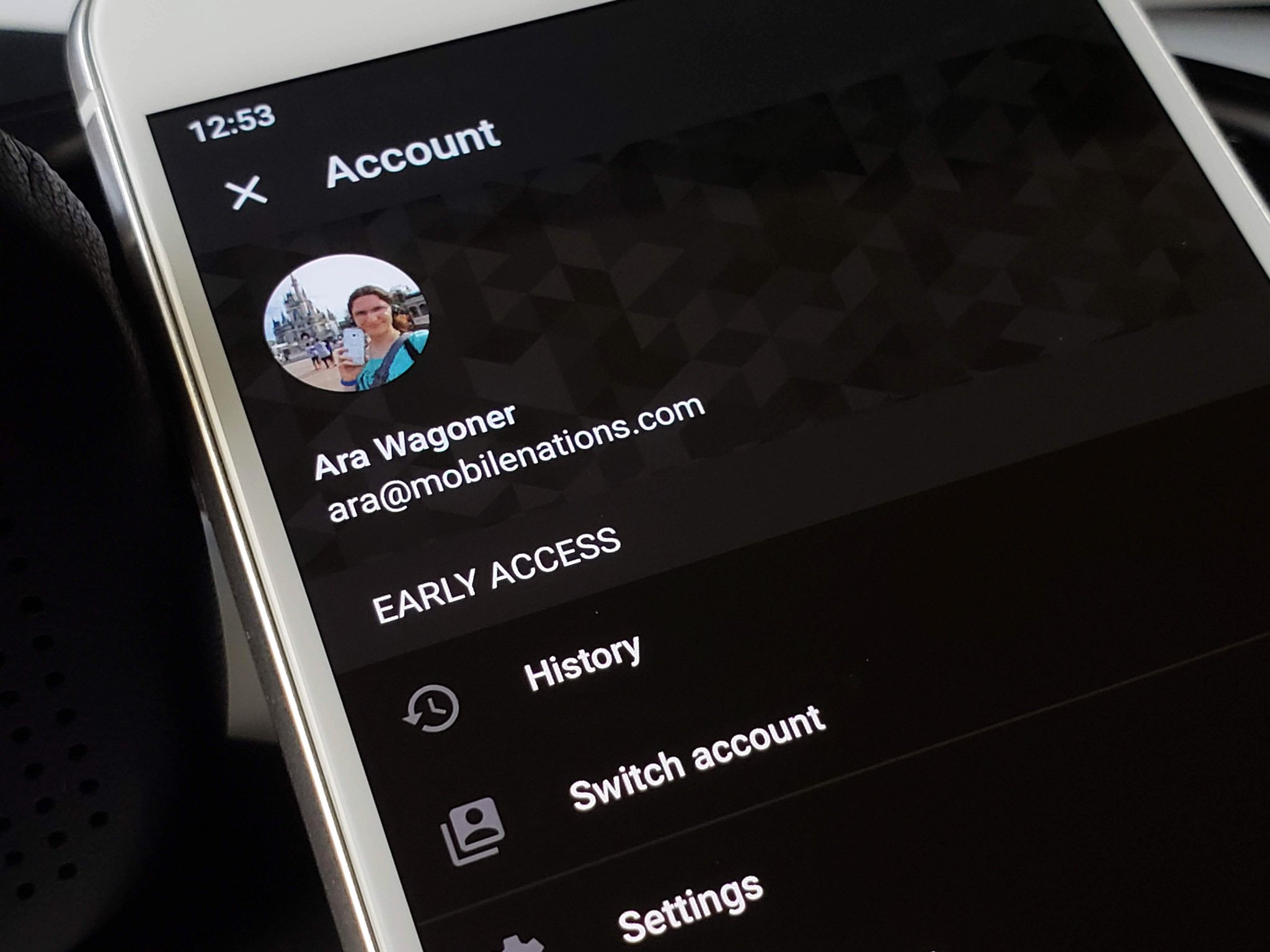
It is called Early Access for a reason.

Google Play Music being absorbed into YouTube Music is too far down the road to think seriously about right now.

YouTube Music was majorly hyped up ahead of its release, and to be sure, there's a lot in it to like… but YouTube Music is essentially a beta right now. Some albums aren't populating in search and artist pages correctly. Casting is a complete disaster. Library management is bordering on non-existent. Downloaded content is fickle, especially on phones with SD cards and which menu you play downloaded content from.

There is no proper Android Auto integration, no gapless playback, no integration with Google Play Music yet. Yes, the official library on YouTube Music is smaller than Google Play Music. I don't know when that's going to change, but Google Play Music still has it, so just listen to it there! Google Play Music is not dead. YouTube Music is not finished yet.

If this is what you think things look like right now, you're wrong.

Can we let YouTube Music get its act together before we go projecting the expectations of a decade-old, legacy music service onto it? And can we let YouTube Music roll out beyond five countries before we start ringing the death bells for Google Play Music? Can we find it within ourselves to let Google work out the bugs before it gets on to the metric ton of insanity it needs to do before it can prepare to absorb Google Play Music?

And if you're using the new YouTube Music, submit feedback so Google knows what they need to fix, and then go listen to something that will help you chill out.

YouTube Music: Everything you need to know!


from Android Central - Android Forums, News, Reviews, Help and Android Wallpapers https://ift.tt/2J4pvzG
via IFTTT

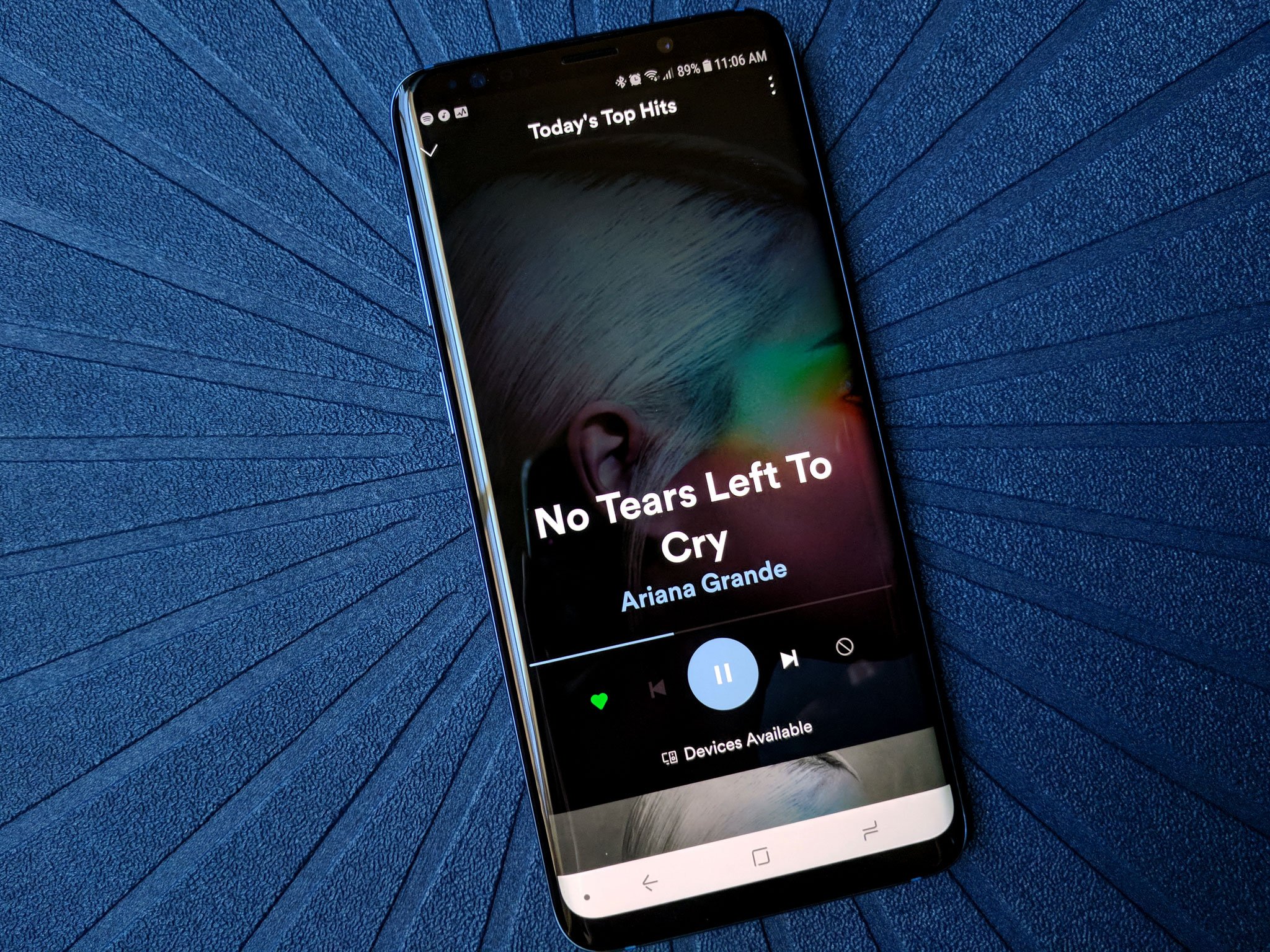
How to stop streaming apps like Spotify from randomly shutting down

Changing a setting can keep streaming apps like Spotify up and running instead of cutting off your favorite song.

Modern Android phones make excellent devices for streaming media. Whether that means watching video on YouTube, listening to music through an app like Spotify, or indulging in an audiobook from Audible, your phone and a good set of headphones are all you need for a first-class experience.

Unless that experience gets interrupted by the app randomly shutting down, that is.

Here's a quick look at what's going on and what you can do to try and prevent it from happening.

Why it happens

The reason that streaming apps can stop abruptly and shut down has good intentions behind it — to save your battery.

Android and the phone manufacturers that use it know you want your battery to last forever on a single charge. That's not possible, but what can be done is to add tools inside the system that keep apps from chewing through battery when they are not in focus — particularly in the foreground.

Android itself can have an unlimited amount of applications running. When the software is built, engineers alter a bit of the code to match how many apps can run based on the hardware used to build the phone. It's complicated, but those engineers can set parameters about how much memory apps can use while you're looking at them, while they are running in the background, while they are "sleeping" in the background, and apps that support other apps. When that number is reached, the system will start closing apps based on how they are running, not when they were last used.

RAM: What it is and when do you need more?

An app that is on your screen and you're interacting with is in focus. That means plenty of system resources are allowed to be used because it's assumed that you want that app up and running and are OK with it using battery power.

But an app like Spotify doesn't really need to be on your screen to work to its full potential, so it should be able to tell the system that it still needs to be "in focus" — and therefore kept alive — even when it's not actually open on the screen. It should be able to use things like battery power or your network connection because you asked it to.

Every company involved with Android, including app developers, wants to conserve battery. The people developing the hardware and software are constantly tweaking things to get just a tiny bit more life from a charge because all those tiny tweaks will add up. Android itself has seen Google make plenty of changes between versions here and companies like Samsung also have done a lot to save battery power whenever it can. And sometimes, those tiny changes don't work great with each other.

It's not difficult for a tiny change to force your phone to think an app like Spotify isn't in focus as described above when you're streaming, and the rules about when and how apps that aren't in focus should be shut down to save battery are very different from the rules for apps you're using.

And that's often the problem here. You start Spotify (or Audible or any other streaming app) then move on to check the weather or read your Twitter timeline, and your phone thinks Spotify isn't something that should be eating up all the battery power it's using.

And that is a simple fix.

How to fix it

There are plenty of other factors that could be shutting down an app, but most of the time this will fix Spotify when it wants to shut down all the time — change any extra battery-saving features.

These are tools added on top of those settings that decide how apps can use resources. They're put in place by the company that made your phone and are a way to be more aggressive about closing apps that use battery power when you're not actively looking at them on your screen. Different companies make these changes in different ways, but the result is the same — your phone slows down a tiny bit, your screen won't get as bright, and apps that aren't up front on your screen aren't allowed to use your connection and chew up battery power the way they would normally do.

To fix the problem, you need to disable any battery-saving features associated with the app that's shutting down. Different companies have slightly different methods, but in the end, the result is the same.

Samsung phones — Marshmallow (Android 6.x)

If your Samsung phone is stuck on Marshmallow, here's a tried-and-tested solution that doesn't involve battery optimization but rather access to background data.

Note: If your Samsung phone is running Android 7.0 or later, skip this step and go to the one below.

  1. Open your Settings.
  2. Tap the Data usage entry.
  3. Tap on Background data.
  4. Find the app that's giving you trouble on the list.
  5. Make sure the switch beside it is set to enabled.

Samsung phones — Android 7.0

On a Samsung phone running Android 7.x Nougat or later, the steps are simple.

  1. Open your phone's Settings menu.
  2. Open Device Maintenance.
  3. Tap Battery.
  4. Tap Battery usage.
  5. In the three-dot menu button (top right), tap Optimize battery usage.
  6. In the drop-down menu, select All apps.
  7. Find the app(s) you want to unoptimize, and deselect it.

Pixel and Nexus phones — Android 7.x or later

If you have a Pixel or Nexus phone running Android 7 (Nougat) or later, try this:

  1. Open your Settings.
  2. Find the entry for Battery and tap it.
  3. Tap the menu button and choose Battery optimization.
  4. At the top, you'll see a drop-down menu. Open it and choose All apps.
  5. In the list, find the app that's giving you trouble and choose Don't Optimize.

Android uses a system tool called Doze to control how apps use power in the background. With Android 7.0, Doze became much more aggressive and there have been a few problems with streaming apps when the screen shuts off. Selecting the Don't Optimize option tells Doze not to try and control how the app behaves when not in focus.

Battery optimization is important, and you should leave the feature enabled for most apps. We only recommend disabling it for streaming apps on phones where memory and battery management is just a bit too aggressive.

And these solutions aren't perfect. And while it rarely happens, a glitch could allow an app like Spotify to run constantly and use all of your battery. App developers and companies that make Android phones know this, too, and are constantly working to fix issues like this with minor updates so it's important you make sure you're accepting system updates and app updates from Google Play.

In the meantime, these tweaks will get you back up and running with your favorite sounds still playing in the background!


from Android Central - Android Forums, News, Reviews, Help and Android Wallpapers https://ift.tt/2kGlB1l
via IFTTT

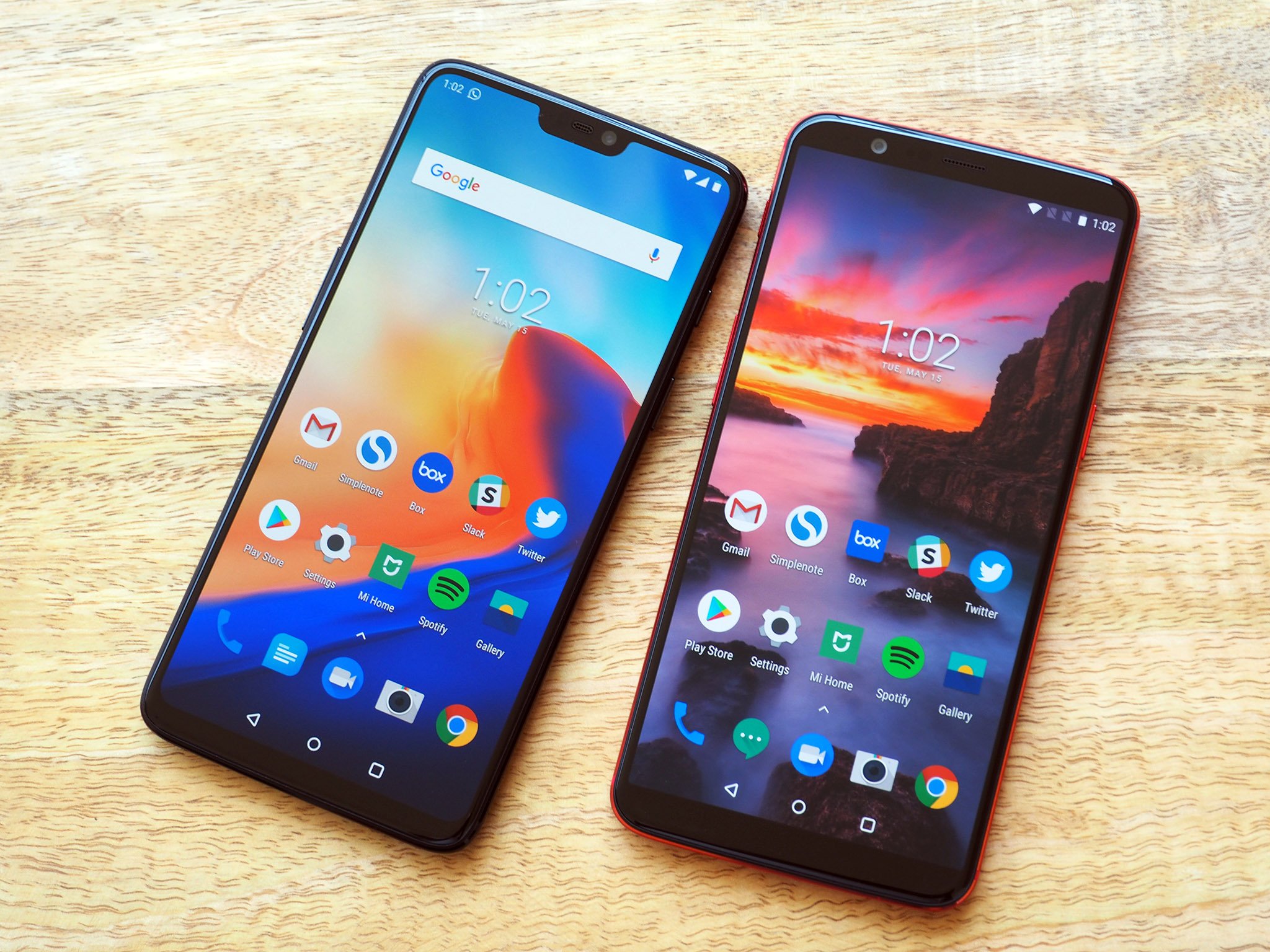
Everything that's new in OxygenOS

Have a OnePlus phone? Here's what's new with your latest update.

OxygenOS is the software that powers OnePlus phones, and even if you're not enrolled in the Open Beta, it's still frequently updated with new features and bug fixes to keep an eye out for.

It can be tough to keep track of what's new, so we'll be updating this guide with each new OxygenOS update that's rolled out.

June 1, 2018 — May security patch comes to OnePlus 5 and 5T

OnePlus pushed out a small update to the OnePlus 5 and 5T on June 1 (OxygenOS 5.1.2), with one of the most notable changes being an upgrade to the May 2018 Android security patch.

OxygenOS 5.1.2 adds a few smaller fixes/features as well, including:

  • Fixed auto-rotation stability issue
  • Fixed Wi-Fi connection issue
  • Fixed microphone not functioning issue for AKG earphones
  • Added double-tap to lock screen
  • Gallery app updated with Places (map view of where your photos were taken) and a Recently Deleted folder.

May 25, 2018 — Face Unlock comes to the OnePlus 3/3T with OxygenOS 5.0.3

The OnePlus 3 and 3T may be getting up in their age, but that doesn't stop OnePlus from pushing new features to them. OxyenOS 5.0.3 is rolling out to the phones now, and the highlight here is easily the addition of Face Unlock.

This is the same technology introduced on the OnePlus 5T, allowing you to quickly unlock your 3 or 3T by just looking at it. Other items included with the update are as follows:

  • Android security patch updated to May 2018
  • Refined UI for the Shelf
  • New app shortcuts design
  • More options when long-pressing an app icon
  • OnePlus Gallery gets Places menu, ability to share photos to Shot-On-OnePlus, and Recently Deleted collection
  • Large Files category in File Manager
  • OnePlus Weather app gets new widget, improved positioning accuracy, and refresh interval setting


from Android Central - Android Forums, News, Reviews, Help and Android Wallpapers https://ift.tt/2KVN0HH
via IFTTT