Tuesday, April 9, 2019

LG G8 review: Almost there, yet again

Another year, another phone that gets most of the way to the competition and stumbles in critical moments.

LG's modus operandi since 2016 has been to steadily iterate on its flagship phone platforms. Its seemingly low level of commitment to pushing the envelope with its top-tier smartphones comports with its earnings: the company's mobile division isn't making money, and what chance it has of doing so lies in releasing low- and mid-tier devices through deep carrier partnerships rather than $800+ flagships to try and compete with the likes of Samsung and Apple.
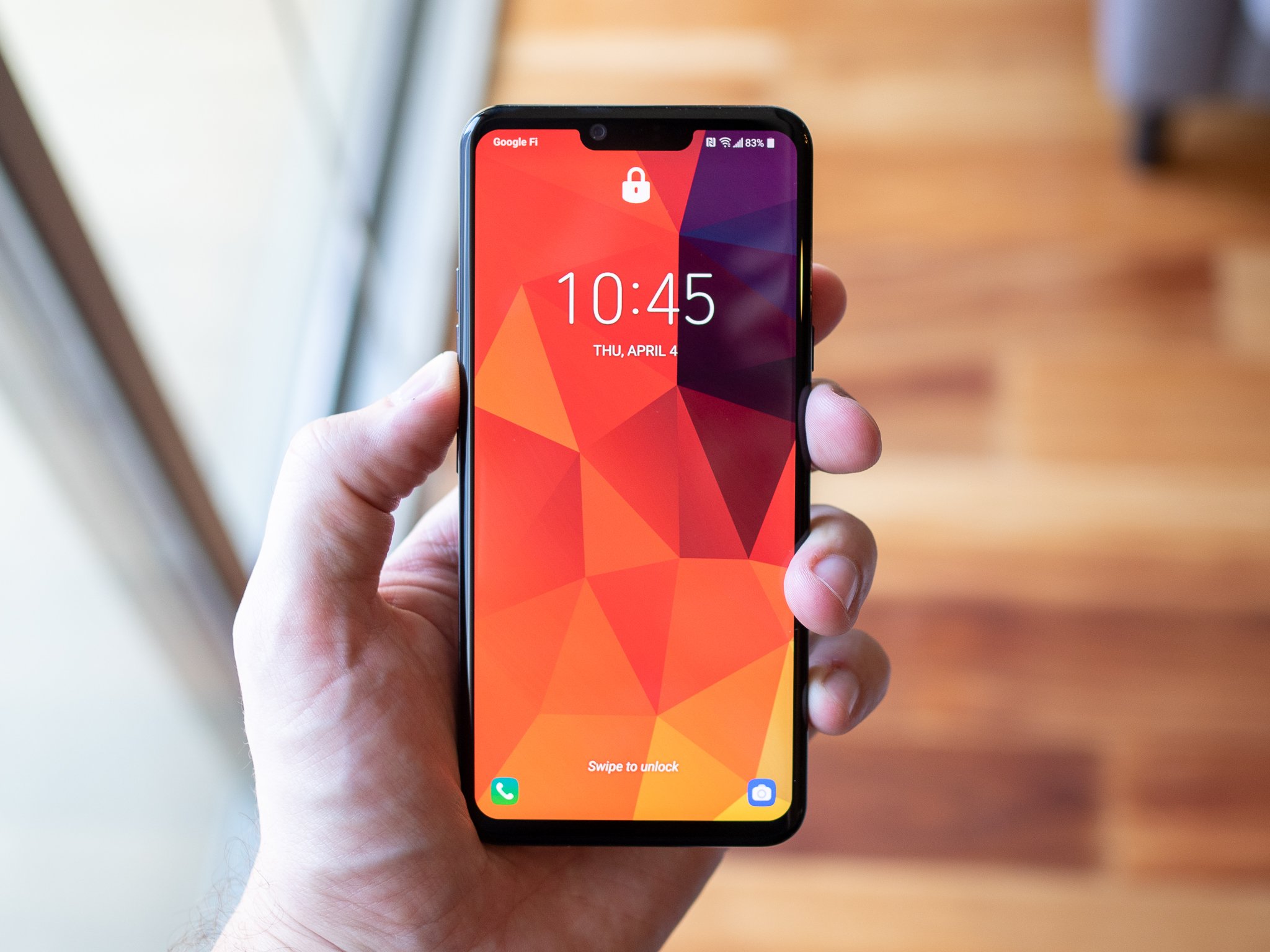
The G6, V30, G7 and V40 were all fine phones, but they didn't do much to draw attention from the other mainstream competition that was beating them on features, execution, price, or some combination of the three. The LG G8, in being closely related to the G7 and V40, hasn't changed the formula much, and on the face of it is destined to the same fate as those two predecessors.

But the competition has progressed slowly as well, and as prices have gone up across the board LG is actually price-competitive out of the gate this year. All while adding a few notable improvements including a larger battery and new speaker system. Is it enough for LG to make any sort of dent in the flagship smartphone market? We explore that idea right here.

The G8 is a fine phone, but one that also struggles to stand out. It has hardware, specs and nice-to-have features that are all well-executed and enjoyable to use, plus a few neat additions like the speaker system and 3D-based face unlock. But LG's consistent missteps in software design, camera quality that doesn't stand up to the competition, and focus on new features like Air Motion that are purely distractions all get in the way of a core phone experience that is otherwise solid and worth considering.

$850 at B&H

The Good

  • Solid, attractive hardware
  • Excellent call quality
  • Above-average display
  • Headphone jack and SD card slot
  • Average battery life

The Bad

  • Software feels dated, cumbersome and unpolished
  • Cameras don't compete at this price
  • Air Motion is a solution in search of a problem
  • LG's software update history is highly questionable

Lots of good here

LG G8 What I love
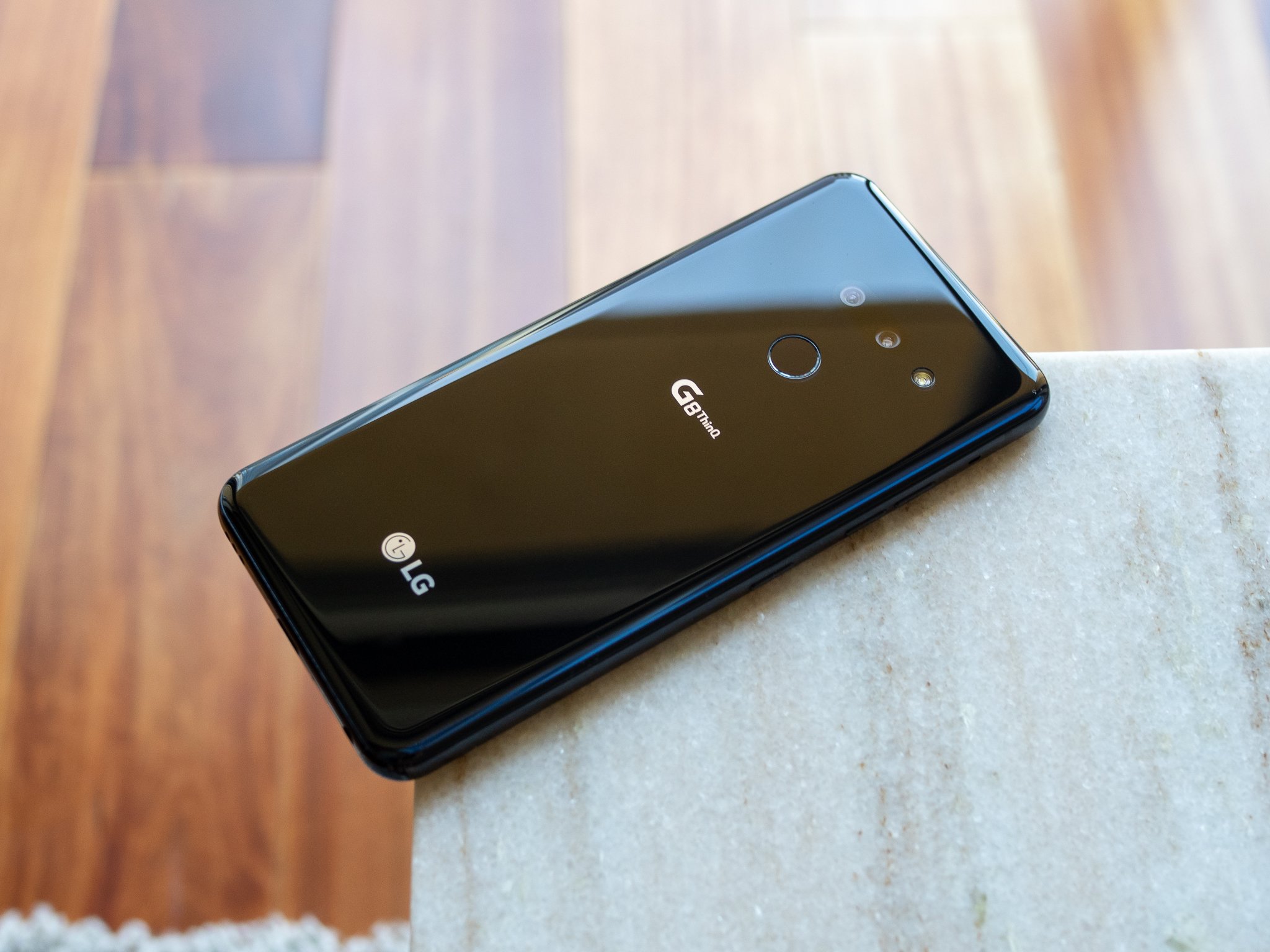
LG's hardware game is strong, and even though things haven't substantially changed since the G7 that slow rate of improvement is pretty much par for the course for the smartphone world as of late. Much like Samsung has done with its last three generations, LG is taking a slow and steady approach, and the resulting G8 is a nicely formed combination of metal and glass.

LG's hardware game is strong with the G8; there's a lot to enjoy here.

This black model I've been using looks particularly featureless and monolithic, but this design is well executed in any color. The symmetrically and uniformly curved glass on both sides transitions perfectly into the painted metal frame, and LG's ability to place dual cameras underneath the glass back without a separate camera pod protrusion is worthy of applause. The only cutouts are for the LED flash and rear-mounted fingerprint sensor — the latter being a welcome reminder that it's still okay to do an "old school" capacitive sensor in a world where in-display sensors are a mixed bag. (LG also managed to finally include a fingerprint sensor gesture to drop the notification shade. What a world!)

The one place LG quickly bucked a trend was in the heft and substantial feel of the G8, which is much improved over last year's V40 that felt a bit hollow and too light. The G8 strikes a great balance between weight, thickness and usability; it feels as though it's built to stand up to years of use and abuse, but isn't heavy or bulky. It projects the quality you'd expect when spending $850 on a phone.

Specs, features performance and battery life are all positive marks for LG's latest flagship.

The G8 is a really good size, with a 6.1-inch display that feels roomy but slots underneath the latest "big" phones. It's slightly larger overall than the Galaxy S10, which is clearly its main competitor, but you wouldn't notice the millimeters between the two. The display itself doesn't match Samsung's latest in colors or brightness — and in reality, no company's screens do — but is above average and has given me nary a problem outside of just not getting as bright as I've been used to with the Galaxy S10 series.

Everything inside matches the level of the exterior. The G8's spec sheet is your typical laundry list of high-end components, but it's punctuated by nice-to-have features like a headphone jack (with high-quality DAC), SD card slot, Quick Charge 3.0, wireless charging and IP68 water resistance. LG has nailed the software stability and performance, too — everything is just as fast, smooth and consistent as any recent phone. Though of course I can only evaluate those metrics after roughly a week with the G8; only time will tell whether the software holds up better than LG's reputation would lead you to expect.

LG's new display speaker technology has a clear upside over individual speakers.

LG's new speaker technology that uses the entire display as a vibrating diaphragm to project sound is a neat bit of innovation that actually has a clear upside. Call quality is crystal clear, plenty loud, and doesn't require any specific ear placement — though it does end up projecting sound quite widely, which you want to keep in mind if you're trying to keep things (relatively) private when taking a call near people. As a full-display speaker for listening to music, podcasts or videos, it's a bit more of a mixed bag. LG's "Boombox" tech makes the display speaker and down-firing resonator pair up to be extremely loud and clear when placed on a hard surface like a table, and having the sound just kind of come at you from everywhere rather than a defined speaker area is an improvement. But when holding the phone, that extra level of full-phone vibration just feels weird and generally compromises the sound quality overall (mostly just cutting out mids) to the point where it's worse than "traditional" stereo speakers.

The G8's 3500mAh battery (which is a tad larger than the Galaxy S10's) provides expectedly solid longevity. It's not a serious battery champion like the Galaxy S10+ or OnePlus 6T, but I'd categorize it right alongside the Galaxy S10 and a step up from the Pixel 3 XL. I ended most days with a good amount of battery left to spare, even on heavier days with lots of phone calls and music streaming over Bluetooth that keep the phone's radios active for hours on end. On heavy days like when I travel or had to do lots of Google Maps navigation while driving, I found a charger for a quick top-up in the evening. Most people will be happy with the battery life considering the size of the G8; if it were any larger of a device, you'd expect Galaxy S10+ levels of endurance.

Struggles

LG G8 What I don't like
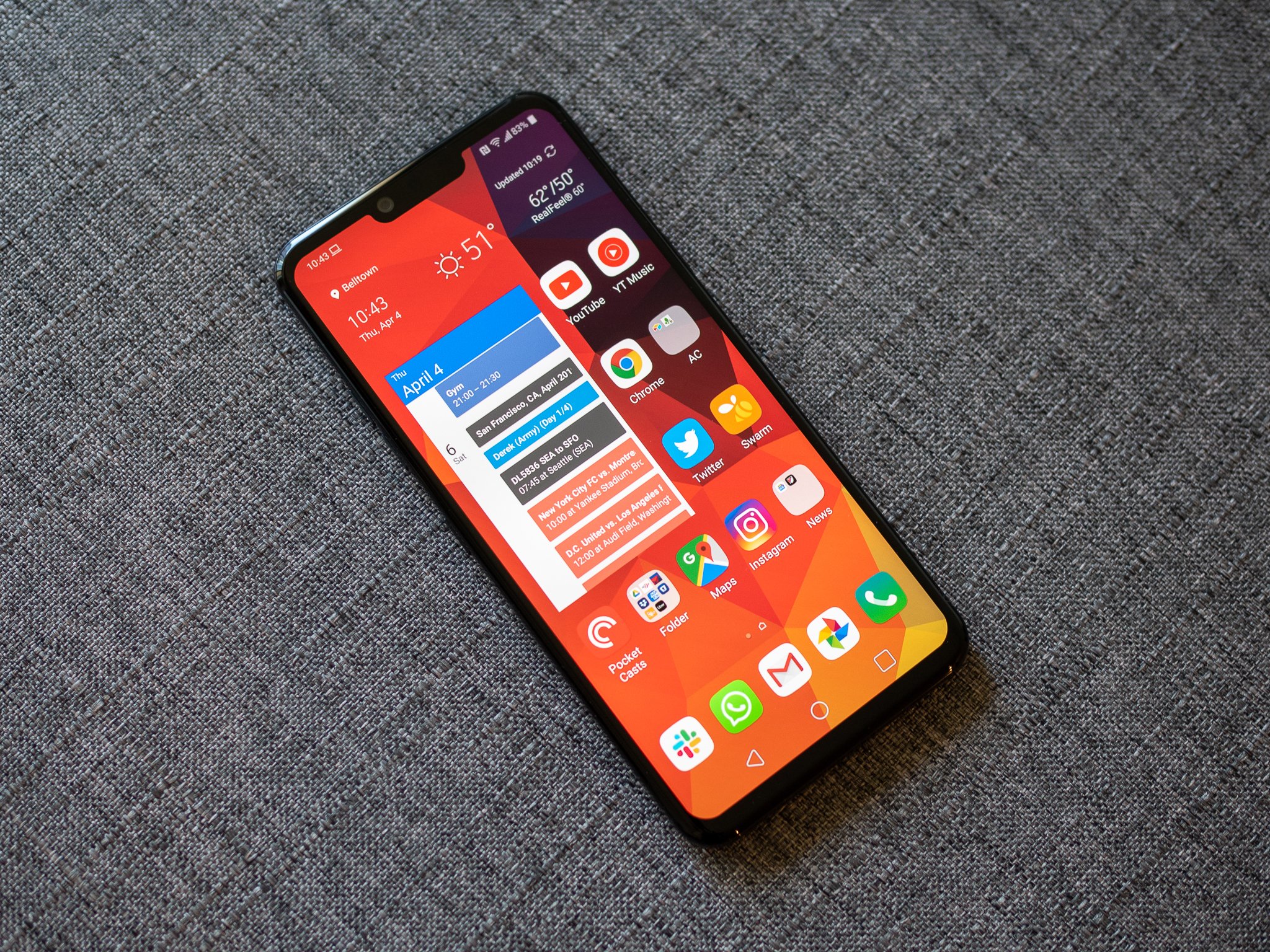
For as much understanding as I give LG's steady approach to hardware improvements, I will condemn it for doing the same with its software. LG's software has consistently been a couple years behind in all aspects, but it's particularly painful to experience in 2019. Companies like Samsung finally figured out how to strike an attractive and useful balance between design and features, which is ostensibly what LG is trying to do but critically failing at. Its features feel haphazard and in many cases like afterthoughts, but you don't have any sort of draw in the other direction such as a nicely-designed interface.

LG hasn't critically evaluated its software in years, and it really shows.

The lock screen, launcher, settings pages, notification shade and default apps — aka, most of the software — have no cohesiveness, nor do they look good or work particularly well on their own. Nothing is broken, and as noted above performance is very good, but we hold modern smartphones to a much higher standard nowadays.

If you need a reminder of how long it's been since LG critically evaluated its own software, look no further than the notification you receive on first booting up your G8 that tells you to "not remove the battery" while the phone is running, which was last actually applicable in the LG G5 released in 2016. It's very clear across the entire software experience that this product is in maintenance mode and not being actively improved.

It's a time machine back to 2016's software, and unfortunately for LG it's not even good 2016 software.

It's a common no-thought solution whenever a smartphone maker continually fails to produce a good software experience that they'd be better off using Android One, but I really do feel that's the way forward here unless LG is willing to pull a 2017-level Samsung move and pull a 180 on design and properly invest in its user experience. Very little is salvageable at this point; you need to burn it all down and start over, or admit you can't do it on your own and switch paths entirely to go with Android One.

As LG is wont to do, much focus was put on its new Air Motion feature considering it was one of the only really new things to lean on when coming from the G7. While it has promise, unfortunately, it's effectively a flop. It's billed as a way to use hand gestures to control various aspects of the phone without touching the screen, leaning on a new ToF (Time of Flight) sensor and IR light next to the front-facing camera to accurately recognize and track your hand from 6-12 inches away. You can set it up to launch apps, capture screenshots, control media playback and address alarms, timers and calls. All interesting use cases, in theory, but the quality of execution is the real weak point. Despite lots of training and experimentation, I just can't get the G8 to recognize my hand gestures very often or very quickly — and as soon as it takes more than a moment to recognize my hand, I'm better off just touching the screen; after all, it's right there.

Air Motion has potential, but it's too slow and inconsistent to consider using today.

If the recognition was far closer to 100% and didn't take so long, I could see a few good reasons to use it from time to time, but still don't see this being any sort of replacement for just good software interface design and a touch screen. The good thing is that you can just turn Air Motion off entirely, so it won't ever get in your way if you don't want to use it. And the display notch created by the extra sensors isn't particularly intrusive. But it's frustrating to see time and development resources were put into this feature, only to be released when it clearly doesn't work very well or have great appeal even if it was flawlessly executed, all while the rest of the core software experience could use some work.

There's a silver lining to the inclusion of the dedicated ToF sensor and IR light on the front of the phone, though, and that's a more secure face unlock system that actually uses a 3D model of your face rather than a typical 2D "picture" like just about every other Android phone. It's been fast enough, and works from a wide variety of angles in challenging lighting conditions. Unfortunately the face unlock, although secure, can't be used to authenticate your access to apps or purchases, but that issue is on Google's end rather than LG's. There's also a "Hand ID" authentication option that reads unique features of your hand to unlock the phone, but like Air Motion itself, it's a second-rate option to the viable alternatives.

Cameras

LG's main draw in photography a few years back was standardizing on offering an ultra-wide-angle camera, which I (and many others) absolutely loved using for the unique perspective it provided — despite the fact that it always lacked in out-and-out photo quality. In many ways it was a crutch that kept LG from being criticized quite as much for its overall lower image quality when compared to Google, Samsung and Huawei. In the last few years LG has really waffled about with its camera strategy, and in the end hasn't really made many improvements.

A distinct lack of strong colors and crisp details is noticeable.

On paper, the 12MP main sensor with 1.4µm pixels, an ƒ/1.5 lens and OIS has what it needs to produce solid photos. But LG's processing just doesn't make the most of the materials. Photos are generally good, but they're once again missing that little extra feeling that they're exceptional at any time. When HDR doesn't trigger, the photos lack the colors and contrast I'd prefer to see. Like Samsung is often accused of, the G8 also mashes down details in textures that give a more smoothed out or blotchy look to parts of scenes you'd expect more definition.

Low light shots are where LG is a bit further behind the curve, and it's once again about the processing as the hardware is clearly good enough to let in enough light to produce better photos than this. For the most part, low-light shots are relatively low in grain and pretty sharp overall — but they completely lose any sort of color and are generally bland. Now and then I got a really crisp shot (check out that candlelit cocktail above) when the camera didn't try to brighten the image up, but those instances were bookended by photos that were so bad I didn't even want to save them, let alone share them.

The camera is fine, but is lacking any exceptional qualities that take it to a high level.

Looking purely at the main camera's quality, this is something more akin to a less expensive phone like the OnePlus 6T than the high-end phones it actually competes with on price. The shots are totally fine for Instagram, and you really need to start leaning toward nitpicking to find real problems with the photos, but like other parts of the G8's experience you just expect a bit more at this price point.

The main camera struggles are a bit tougher to swallow when the ultra-wide camera is not particularly good either — and again, is identical to the G7 and V40. The 16MP sensor has just 1.0µm pixels, and the 107° lens doesn't have the same dramatic view as the Galaxy S10 (or LG V30 at that). Photos are fine enough in good lighting, but are a complete disaster in dim scenes. And curiously, the fixed-focus lens has a minimum focal distance of about 2 feet, which ends up being extremely limiting when you want to get a close-up dramatic wide shot of something. Samsung, which admittedly also has a lower-quality sensor behind its ultra-wide lens, is beating LG at its own game with the Galaxy S10.

Tough sell once again

LG G8 Should you buy it?

To say that LG's flagship phone strategy feels "rudderless" would be a disservice to captains everywhere. Even without a rudder, a talented mariner can be resourceful with the tools available and still give the vessel some sort of direction. And at the very least, the lack of a steering mechanism doesn't mean that it's going to immediately take on water and sink.

It's not a lack of direction, but drive and momentum, that keeps the G8 from getting to the next level.

And yet, LG's lack of direction and drive to regularly improve and compete with the fantastic slate of smartphones available today seem to be dooming it to the depths. The G and V series aren't necessarily lacking direction, but instead seem to be missing momentum and power — phone after phone comes out with the same little mistakes, same shortcomings and same "almost there" that only cuts it in ship-to-ship cannon fodder. They're not bad phones, they're just missing the little bit of polish and extra effort to be great — and you need to be great to compete today.

For the first time in a while, LG hasn't shot itself in the foot with pricing. At $850, the G8 sits right below the $900 Galaxy S10, and given LG's propensity to slash prices short after release it could be a very interesting buy at $750 or less as the weeks tack on. But then the G8 is still going to be compared with the Galaxy S10e, and will still be more expensive than the forthcoming OnePlus 7. Once again LG has a really solid phone that's completely marginalized by the latest Samsung competitor doing everything a little better for effectively the same money.

3.5 out of 5

The LG G8 is a fine phone. It mostly competes with Samsung's Android-leading Galaxy S10, and in a few small areas — like its audio technology — it even bests it. But software that has been lost in the sands of time, camera quality that hasn't kept up over the past few years, and a bunch of random features that are neither useful nor interesting all dull what would otherwise be a very sharp phone. It will be a great buy at a discount for someone who wants to try something new, but it's going to be a tough sell head-to-head with a Galaxy S10 on the shelf.

The G8 is a fine phone, but one that also struggles to stand out. It has hardware, specs and nice-to-have features that are all well-executed and enjoyable to use, plus a few neat additions like the speaker system and 3D-based face unlock. But LG's consistent missteps in software design, camera quality that doesn't stand up to the competition, and focus on new features like Air Motion that are purely distractions all get in the way of a core phone experience that is otherwise solid and worth considering.

$850 at B&H


from Android Central - Android Forums, News, Reviews, Help and Android Wallpapers http://bit.ly/2P2J1Mz
via IFTTT

Aukey's discounted fast wireless charging pad can power your phone for $11

Keep your phone topped off.

The Aukey Fast Wireless Charger Qi wireless charging pad falls to just $11.04 at Amazon when you enter promo code W4G55XO8 during checkout. It sells for $17 without the code and has only ever dropped from that price with deals like this.

Power to the people

Aukey Fast Wireless Charger Qi wireless charging pad

At this price, there's no excuse to not have a few wireless chargers in your home! This one comes with a two-year warranty and is down to one of its best prices ever when you use code W4G55XO8 during checkout.

$11.04 $16.99 $6 off

See at Amazon

The Fast Wireless Charger charges Android phones at 10W and iPhones at 7.5W and everything else at 5W. To get the fastest charge possible with Android, you will need a Quick Charge adapter, and the iPhone needs an adapter with Power Delivery. The pad is designed for the home or small office with looks that are both elegant and unassuming. It will blend right in on your desk or nightstand. The safety features include temperature control, foreign object detection, power input monitoring, and more.

Aukey backs the pad up with a two-year warranty, and users give it 4.3 stars based on over 250 reviews.


from Android Central - Android Forums, News, Reviews, Help and Android Wallpapers http://bit.ly/2CN2GKQ
via IFTTT

Tuesday's top deals: Blink XT security cameras, SSDs, and more

We spend every day trawling the web for the very best deals so you don't have to. Our favorites from today have been gathered below in one easy-to-digest roundup. Don't miss 'em!

Safe & sound

Blink XT Home Security Camera Systems

All the different configurations of the weather-resistant black Blink XT home security system are down in price today. All you need to do is decide how many cameras you want with your system. These prices are 40% off the original street prices and the first discounts we've seen since February.

From $79.99

See at Amazon

Blink XT cameras have motion detection, up to 1080p instant recording, and smart notifications. You can check on your home in real time from anywhere using the Blink app, too. They are super simple to set up and run wirelessly for two years on two included Lithium batteries. They are also weather resistant so you can monitor your home's surroundings. Switch between LEDs or infrared vision to light up those surroundings or keep an eye out at night. The 1-camera system is down to just $79.99 from a $130 street price. The largest 5-camera system is now $299.99 — $200 off its regular price.

Blink's indoor line of cameras are also on sale. The difference between these and the XT series, besides the white versus black coloring, is the indoor cameras only go up to 720p and don't have infrared or weather resistance. Grab a single-camera system for $79.99 or the five-camera system for $70 off.

Keep your eyes peeled for more deals below.

A bright idea

Minger RGB LED light strip

This Minger 16.4-feet RGB LED light strip is down to $8.49 with code WWAT6Z7D. The light strip normally sells for $16.99 so you're saving half with this deal. These lights can be used to provide ambient light to any room in the color of your choosing and are great for setting the mood or using behind a display to alleviate eye strain. This strip has 150 RGB LEDs covering 16.4 feet and has dimmer and brightness controls. The strip is water-resistant so it can be used outdoors as well.

$8.49 at Amazon

Speed upgrade

PNY CS900 120GB 2.5-inch SSD

Amazon has the 120GB PNY SSD on sale for just $19.99, which is one of the best prices it's ever sold for. It is a 2.5-inch drive, which means it's meant to be used in a laptop, though you could put it in an enclosure so you can use it as an external drive as well. It's compatible with both Windows and Mac machines, and the few minutes it takes to install will bring you some serious speed improvements over your regular spinning drive.

$19.99 at Amazon

Game on

PlayStation Plus 12-month subscription

With PlayStation Plus, you'll gain access to online multiplayer, free game downloads every month, digital discounts, cloud game saving, and more. Just make sure to use promo code PSPSAVE during checkout to score this discount. Snagging today's deal means you'll be scoring each month for only $3.58, which is a far cry from its full monthly price.

$42.99 at Android Central Digital Offers

Smarten up

Google Home Hub

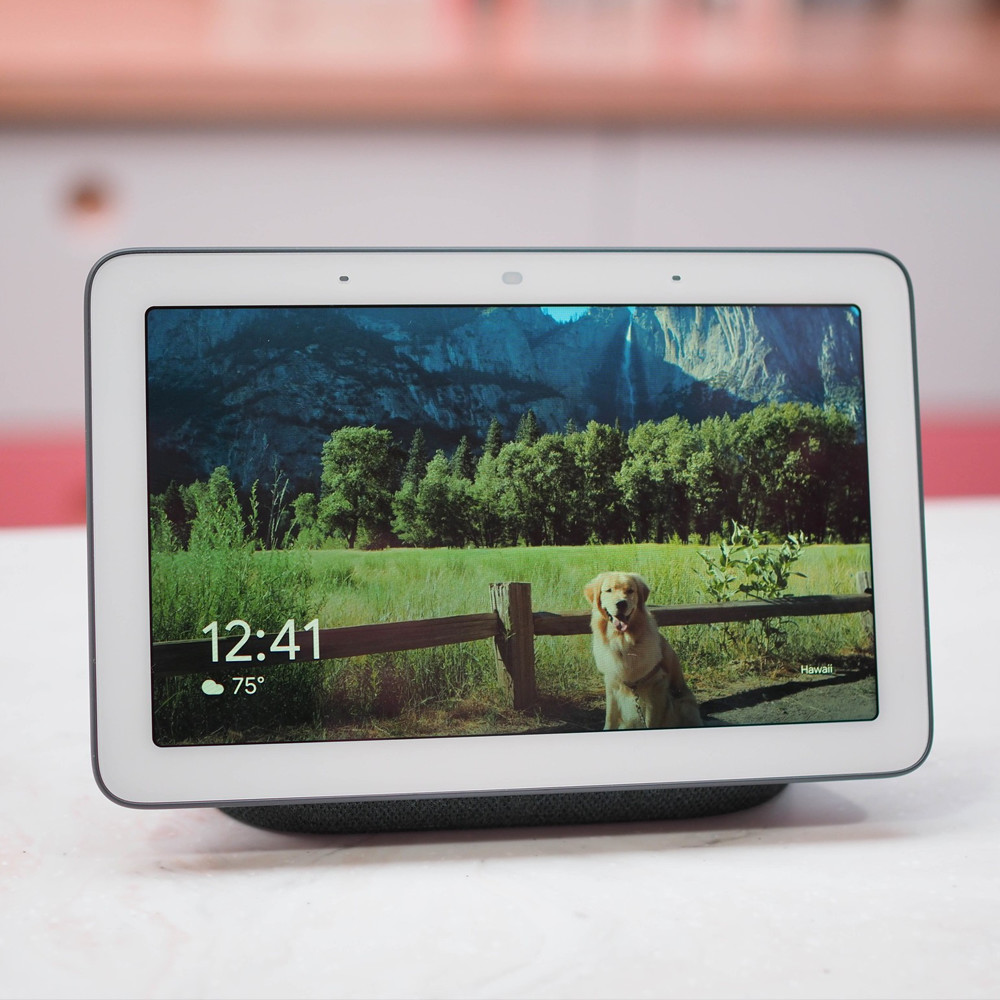
The Google Home Hub is down to $99.99 at Woot for today only. This deal saves you 33% off its $149 retail price. It is the only first-party Google Home device with a screen, allowing you to see as well as hear information you request. It has a 7-inch touchscreen display, two far-field mics, and an ambient light sensor to auto-adjust the display brightness. The screen makes it more useful for visual tasks like checking calendars, following recipes in the kitchen, watching YouTube, seeing the weather forecast, and more.

$99.99 at Woot

Ice Ice baby

RTIC Premium Hard Coolers

Amazon has a promotion offering an additional 20% off RTIC Premium Hard Coolers. The discount will apply to one eligible item at checkout. We don't see promotions on these very often, and the deal is certainly timely since warm weather means parades, beach parties, and other cooler-friendly activities. There are tons of options available, so if you want a particular size or color, be sure to peruse the entire sale while it's still around.

20% off at Amazon

Look ma, no wires

Anker 10W Qi wireless charging pad

Anker makes some of our favorite accessories these days, and its wireless chargers are no exception. Right now, you can pick up a 10W Qi wireless charging pad for just $12.59 when you clip the on-page coupon. While this may not be a huge savings from the regular $14 price tag, this is actually the lowest it's ever sold for, and compared to even some of its other chargers this price makes it a total impulse buy.

$12.59 at Amazon

This is just a small sampling of the deals that the Thrifter team has uncovered today. If you want to keep up with everything that the crew is uncovering, be sure to follow Thrifter on Twitter and sign up for the daily deals newsletter so you never miss out on anything!


from Android Central - Android Forums, News, Reviews, Help and Android Wallpapers http://bit.ly/2ItJyGn
via IFTTT

Vacation Simulator Review: Nearly endless wonder

You, human, are now ready to VACATION.

In the pantheon of VR games, Job Simulator is essentially royalty. It's one of the most popular VR games by a considerable margin, due in no small part to the sheer volume of things you can do in it. Owlchemy Labs worked tirelessly to anticipate every random thing someone might want to do in this game. If you want to make a soup out of apple juice and egg shells, while everyone watching you giggles relentlessly, you can with ease. It's fantastic, and something everyone who has ever played it or the Rick and Morty spinoff universally adore.

But it's time to stop slaving away in a cubicle or toil away repairing an endless line of cars in the shop. It's time to stop serving your robot overlords as they figure out how to keep the last of humanity alive and functional. Now it's time to relax, to soak up some sun by the beach or enjoy a peaceful camping trip in a cabin.

It's time to vacation. And vacation you shall.

A family favorite

Vacation Simulator

$29 at PlayStation Store

Explore three amazing new worlds.

Everything you remember and love about Job Simulator and Rick and Morty: Virtual Rickality with a massive host of new puzzles and experiences.

The Good

  • Beautiful new worlds
  • More challenging puzzles
  • Fantastic teleportation and backpack mechanics
  • New mechanisms for progressing in the story are great

The Bad

  • Only allowing three save slots is weird

Vacation Simulator What I love

You don't actually have to pay attention to the underlying story in Job Simulator, but if you do it becomes pretty clear something dark happened to humanity. You're one of the last remaining humans, and the robots are trying to keep you alive and functional. Only, unlike other robot overlord stories, these robots are trying to give you purpose and make you feel like you're accomplishing things. That sense of purpose is important to humans, according to the robots. But humans also need time to do something that isn't work, and so your simulation now includes some time to relax.

It's so easy to get lost in this game for hours, with a smile on your face the entire time.

Vacation Simulator starts you off with an Avatar Creator, which is a new thing for Owlchemy Labs. You've got a lot of flexibility here to make sure you look like you, or someone else entirely. Whatever you prefer, there's a ton of options. It's simple, but a ton of fun.

Once you've chosen your look, you're presented with a small hotel room to explore. Leaving this room lets you go to one of three different vacation places to explore as you see fit. But before you go, the robots set you up with a special watch and a mission. In order to progress in this story, which includes exploring the other areas and unlocking the other vacation spots, you have to collect memories. You do this in a bunch of different ways, but mostly by approaching bots to solve their problems and playing minigames.

The folks at Owlchemy Labs have always included minigames in their VR experiences, short things you can get lost in for hours with friends and do whatever you can. But the games in Vacation Simulator span a incredible range of experiences. Some of them require exploration, hunting down bugs or finding secret video game cartidges, while others let you make you own ice sculptures and design epic sandcastles. There are a ton of these games scattered across the three worlds and they are both wildly fun and deeply challenging. In many cases you can do whatever you want and design something silly or fantastic, but there are puzzles you can solve within each to unlock memories and nothing beats flexing that creative muscle.

And while this all sounds fairly simple, that's what has always made this serious of games so great. It's so easy to get lost in this game for hours, with a smile on your face the entire time. And while my kids and I have easily spent 35 hours of time since Owlchemy Labs provided the review code, and there's no way we're even most of the way through this experience. And that doesn't include what will undoubtedly be an incredible assortment of secret achievements and bonus game modes I have yet to unlock.

In short, Vacation Simulator is bigger and more complex and wildly more amusing than its predecessors. And it's my new favorite thing to show anyone when they are experiencing VR for the first time.

Vacation Simulator What I want to see next

I am far from the average user when it comes to most things, and VR is almost assuredly also one of those things, but there are a few things I hope change a little as this game grows. For starters, when you create your avatar you are able to save it to one of three save slots in the game. That's probably fine for most folks, but as a father of three kids who are also huge fans of this game series (I mean, OMG Dad, Markiplier plays Job Simulator!) it means juggling accounts in a way that is kind of awkward.

I know the main reason the personalized avatar system exists is to make the game feel more like you're the one playing, and so you can have fun with either the included camera and the special spectator camera for live streaming and advanced capture modes, but a shared world would be cool as hell. As much fun as scoring goals against a robot goalie is, playing that game with my actual friends would be amazing. And a lot of the other minigames feel like there could be a multiplayer component organically, which I think would make an already amazing game feel more like its own virtual universe.

Finally, I'd like to see this game get new worlds over time with updates. Vacation Simulator feels like it was built to be expanded upon, or maybe even tweaked during different times of the year like with a carnival in the fall or something. Vacation Simulator is amazing as it is, but it would be amazing to see new content appear over time.

Vacation Simulator Should you buy it?

Yes. In fact, hell yes. Vacation Simulator is everything we all loved about the last two experiences, with a ton of new lessons learned and improved mechanics everywhere. Owlchemy Labs has outdone themselves in every possible way, and I look forward to spending many more hours exploring every pixel of these worlds.

5 out of 5

I played Vacation Simulator on Oculus Rift through Steam VR, but it is now available across all of the major VR platforms to enjoy no matter where you play!

My new favorite

Vacation Simulator

$29 at PlayStation Store

Explore three amazing new worlds.

Everything you remember and love about Job Simulator and Rick and Morty: Virtual Rickality with a massive host of new puzzles and experiences.


from Android Central - Android Forums, News, Reviews, Help and Android Wallpapers http://bit.ly/2uXnDiO
via IFTTT

The best Huawei Mate 20 Pro cases you can buy

If you want an Android phone that looks and feels great, in addition to a ton of other pros, the Huawei Mate 20 Pro is a great choice. The sleek glass back is a thing of beauty, but in the event of a drop or fall, it won't hold up very well. Keep it safe and protected with one of these cases!

Great in every way

Spigen Neo Hybrid

Staff pick

Phone release after phone release, Spigen proves that its Neo Hybrid is one of the very best cases money can buy. It has a fantastic design that's durable, grippy, and maintains a slim profile. There are also tactile button covers and precise cutouts for the camera and ports.

$16 at Amazon

Affordable protection

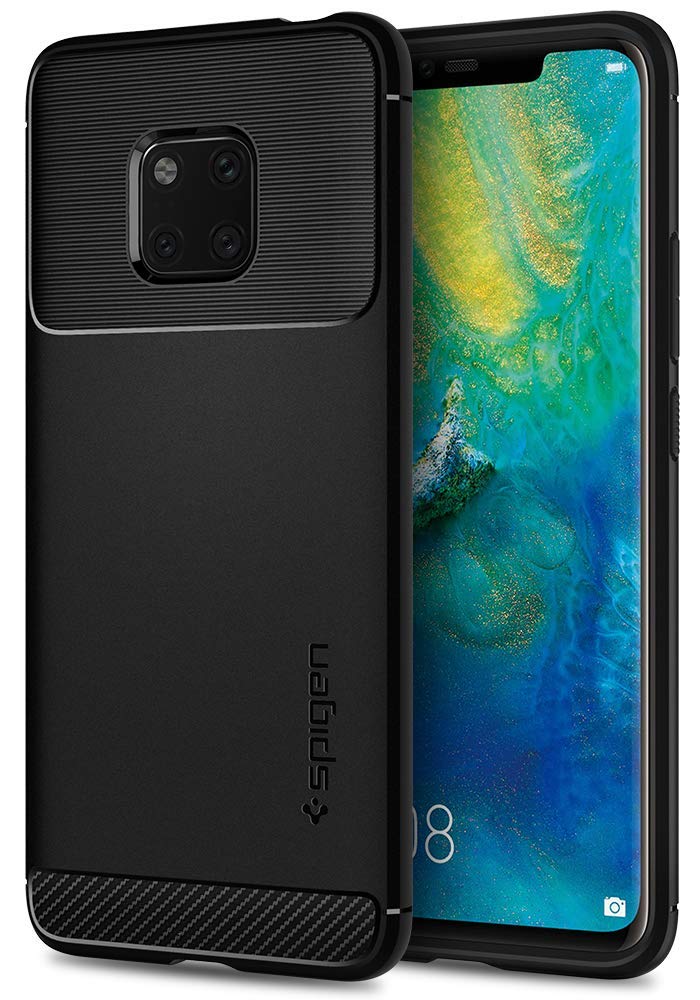
Spigen Rugged Armor

If you're after heavy-duty protection, then Spigen has you covered with this tough, yet stylish design. Fashioned from carbon fiber and TPU for exceptional shock absorption, the Rugged Armor offers great protection without adding too much unnecessary bulk to the Mate 20 Pro.

$13 at Amazon

Thin and grippy

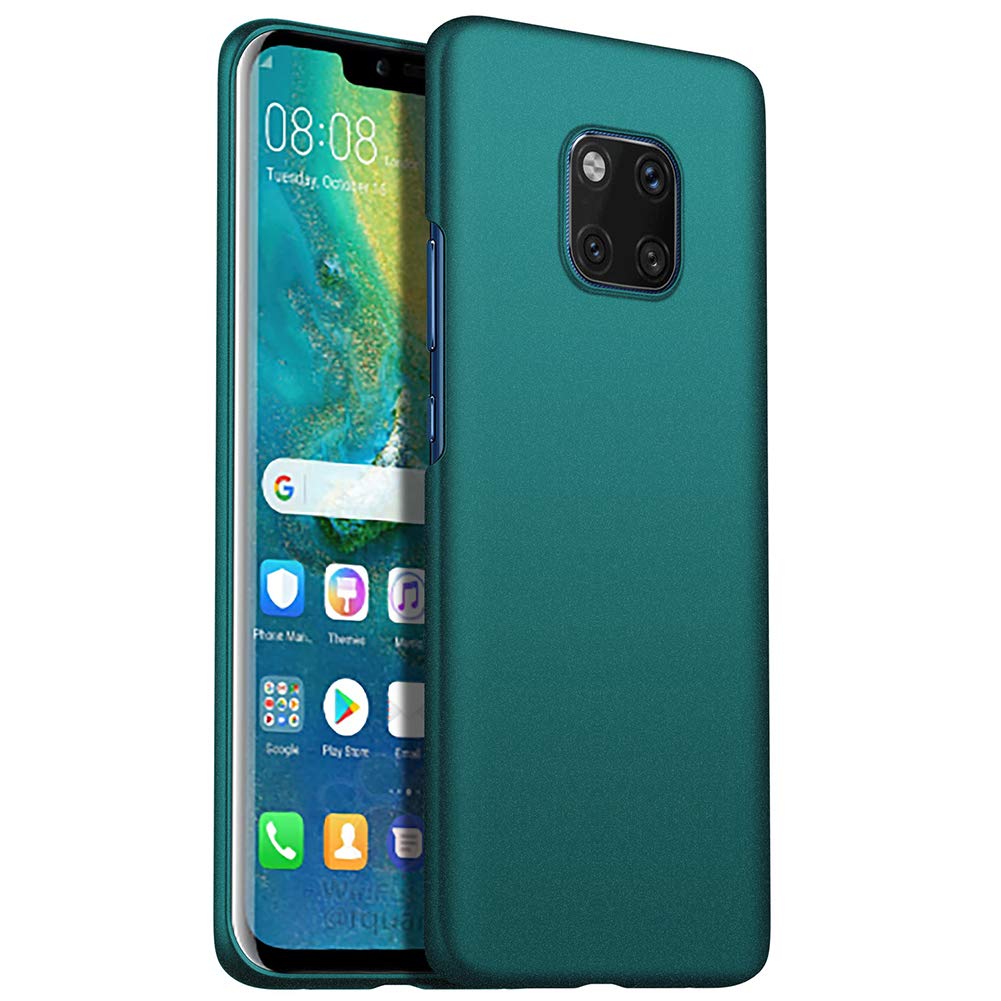
Almiao Ultra-Thin Minimalist Case

This Almiao case is grippy, thin, and speckled with a nice texture that makes it easy to hold on to without increasing the phone's overall thickness. While it doesn't provide a lot of protection for the Mate 20 Pro's sides, there's enough here to keep its glass back from exploding when dropped. Good enough for us!

$12 at Amazon

Ready for anything

SUPCASE Unicorn Beetle Pro

It may feel like a sin to cover the Mate 20 Pro's stunning design with a case like this, but if you're known for regularly dropping your phone, it's a sacrifice you'll be glad you made. This option from SUPCASE is rated for 20-foot drops, has a built-in screen protector, and a rotatable holster so you can easily hook it on a belt or bag.

From $20 at Amazon

Best from Huawei

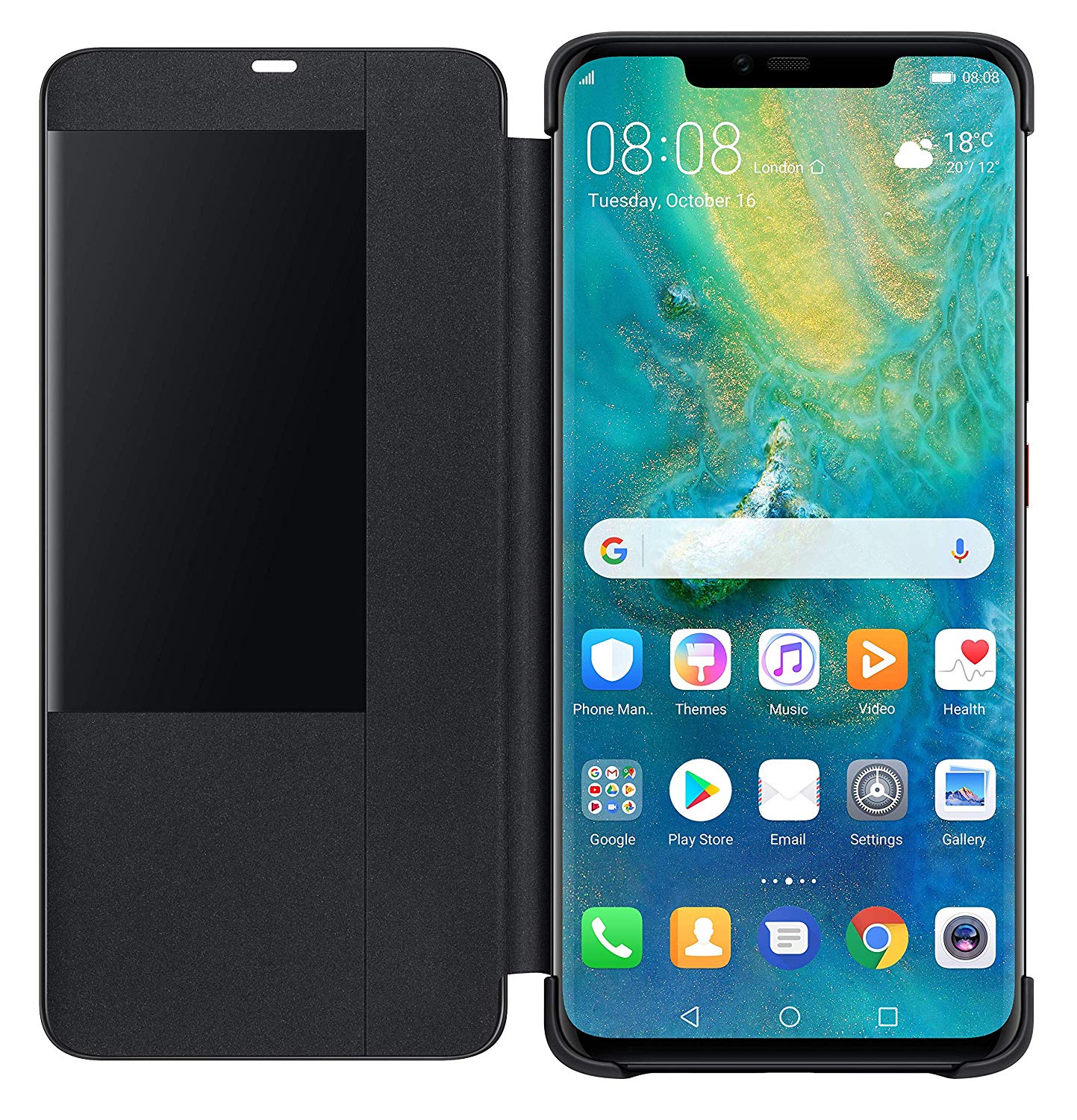
Huawei Active Sleeve

This official Huawei flip case is clad in luxurious leather, protecting your Mate 20 Pro from knocks and scrapes. And it also features a transparent section on the front, allowing you to view the date, time and other basic info without opening up the case. This style of case has previously been exclusive to Huawei's Porsche Design phones, so it's great to see it for the mainstream Mate series.

£13 at Amazon

Clearly great

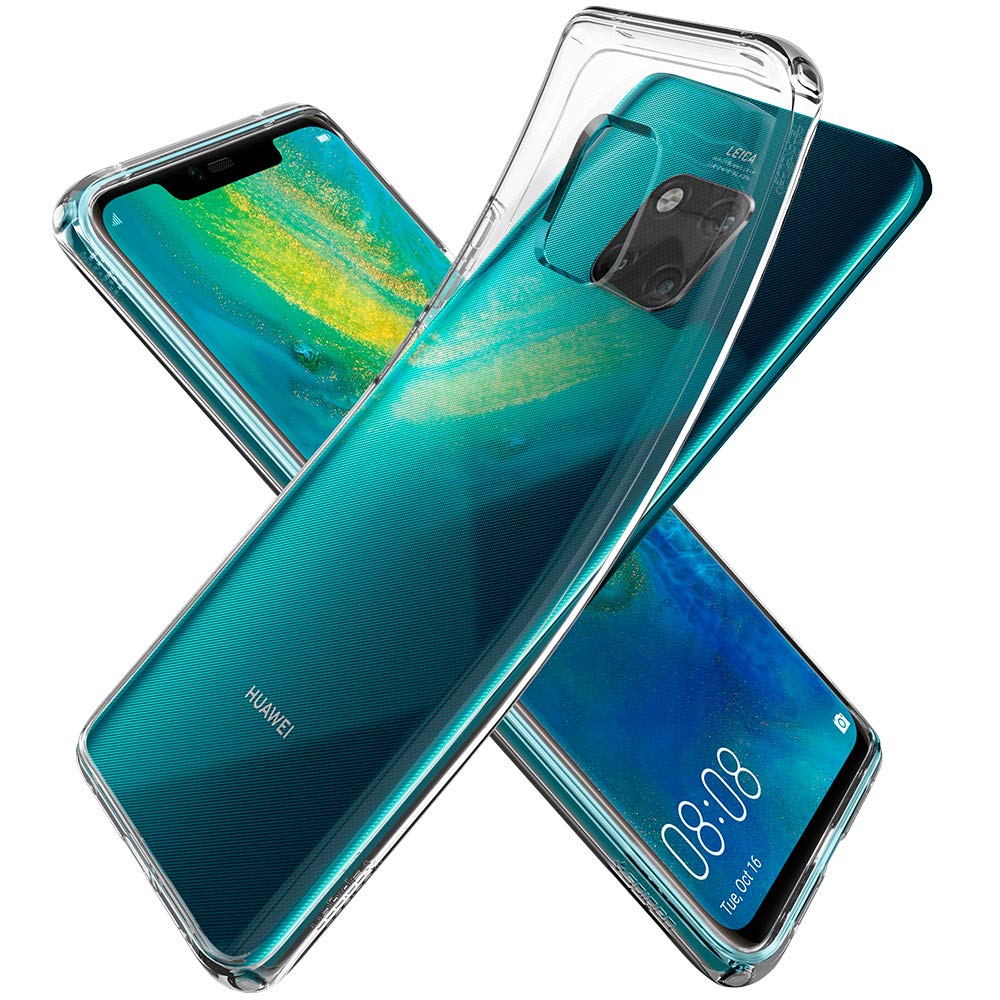
Spigen Liquid Crystal Clear Case

Using a glass-backed phone doesn't have to mean settling for inevitable scratches around the back. A transparent case like Spigen's Liquid Crystal offering lets you admire your Mate 20 Pro's impressive design while protecting the back and sides from damage.

£6 at Amazon

Extra grippy

Huawei Silicon Case

Huawei's official silicon case for the Mate 20 Pro offers easy grip and a great in-hand feel thanks to its soft-touch rubberized texture. And on the inside, a fabric coating protects the glass and metal parts of the phone's design. At the time of writing, it's available for less than half the usual price.

£11 at Amazon

Slim and stylish

ORNARTO slim fit shell case

With a thickness of just 0.7mm, this super-slim case protects the back, corners and sides of your Mate 20 Pro without adding excessive bulk to the phone or interfering with its wireless charging functionality. It's also available in five color options to match your personal style.

£10 at Amazon

Wallet case

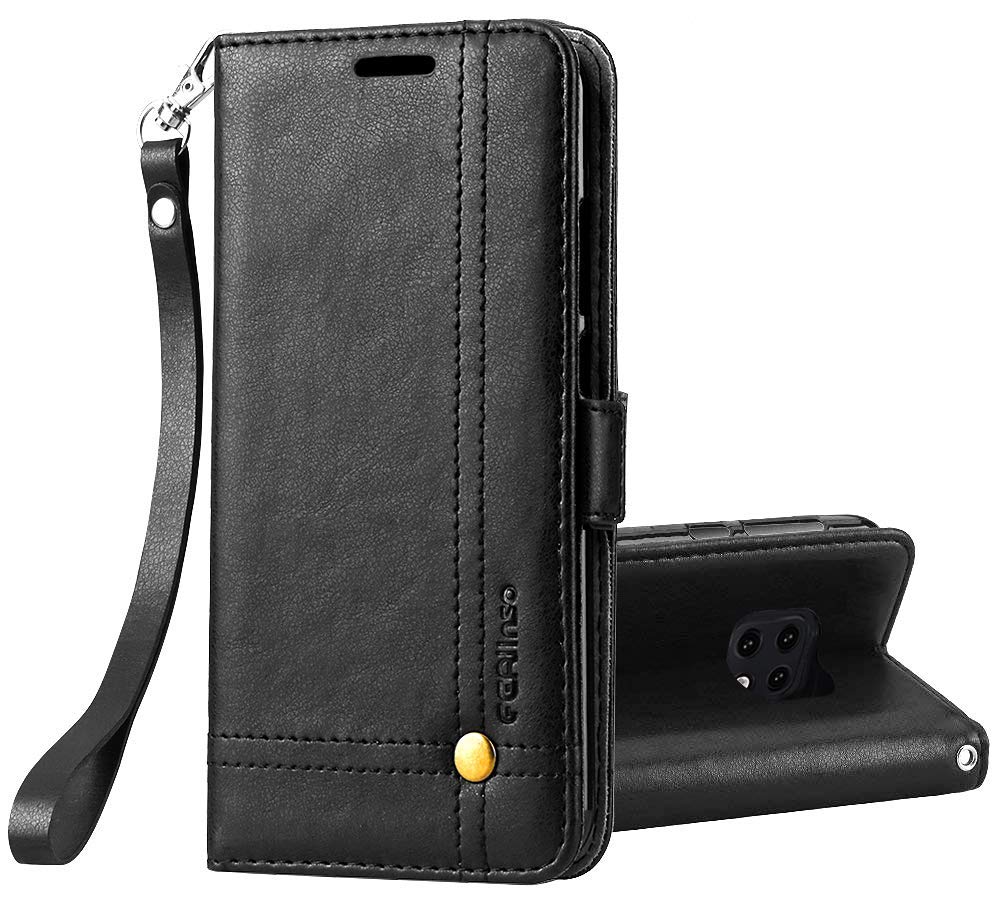
Ferilinso Wallet Case for Mate 20 Pro

A good wallet case not only protects your phone, but also lets you leave your full-sized wallet at home. That's exactly what this stylish leather offering from Ferilinso does, with extra space for cards and cash, along with neat wrist strap attachment and your choice of four colors. Better still, it even offers kickstand functionality for watching videos on the go.

£11 at Amazon

If we had to choose

If you live in the U.S. and need a case for the Mate 20 Pro that'll look great while still offering plenty of coverage for the phone, the Spigen Neo Hybrid is an easy choice. This is one of the cases we recommend for just about every phone that comes out, so do yourself a favor and pick it up for the Mate 20 Pro.

Alternatively, if you live in the UK, you've got access to great, official cases from Huawei like the Huawei Silicone Case and Huawei Active Sleeve. Third-party cases are often some of the best you can buy, but if you have the chance to buy ones from the same company that made the phone itself, you can guarantee it'll fit like a glove.


from Android Central - Android Forums, News, Reviews, Help and Android Wallpapers http://bit.ly/2SYNOiS
via IFTTT